 MegaDBlock
DNS blocking
Every query is matched against the list; if it's advertising or tracking, it's answered with 0.0.0.0 without leaving the network. Everything else is untouched.
MegaDBlock blocks ads, videos that pop up mid-game, trackers and cookie banners in every app — with a local VPN that never sends your traffic to any server.
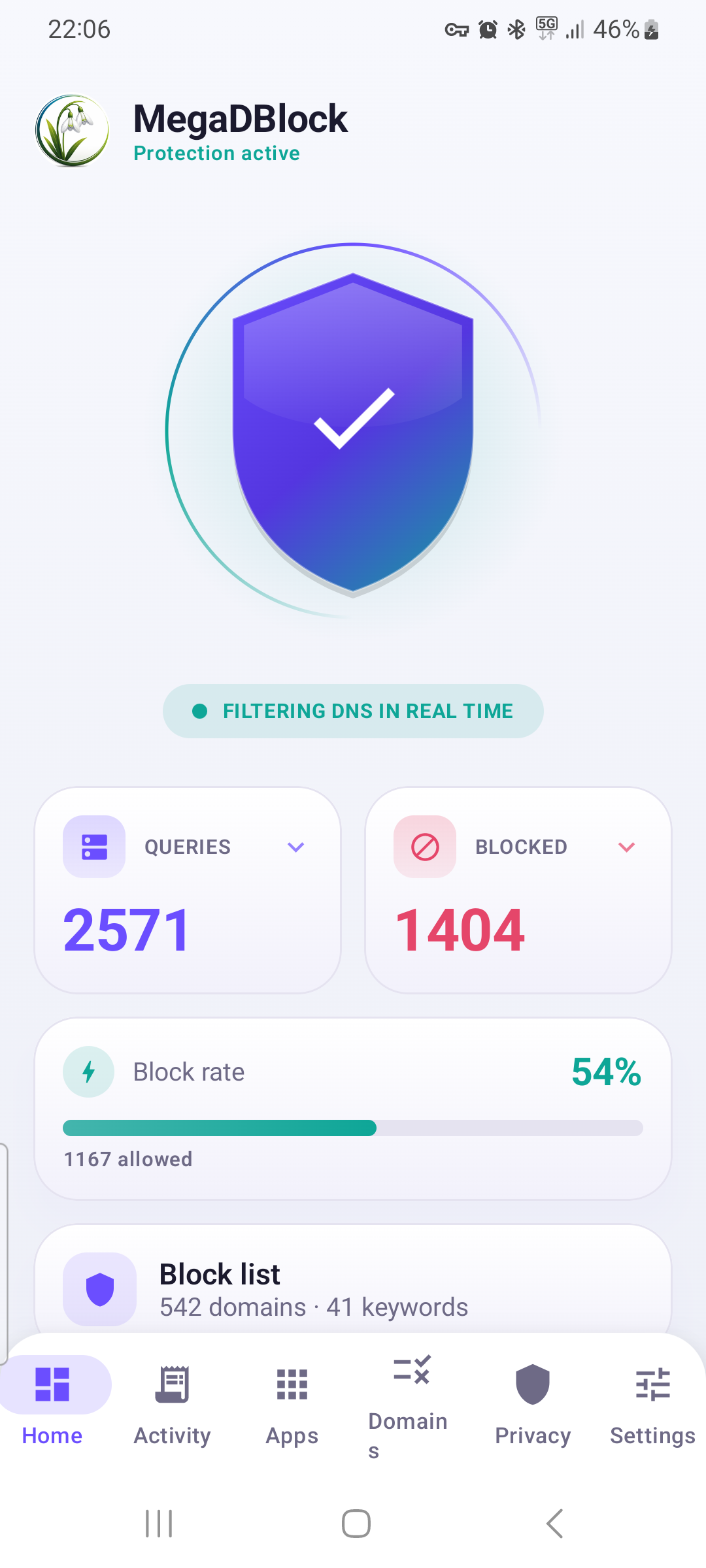
By filtering system-wide DNS, MegaDBlock works in every installed app — games included.
Every query is matched against the list; if it's advertising or tracking, it's answered with 0.0.0.0 without leaving the network. Everything else is untouched.
Stops the interstitial and rewarded videos that interrupt your matches: AppLovin, Unity Ads, ironSource, Vungle, AdColony, Chartboost and more.
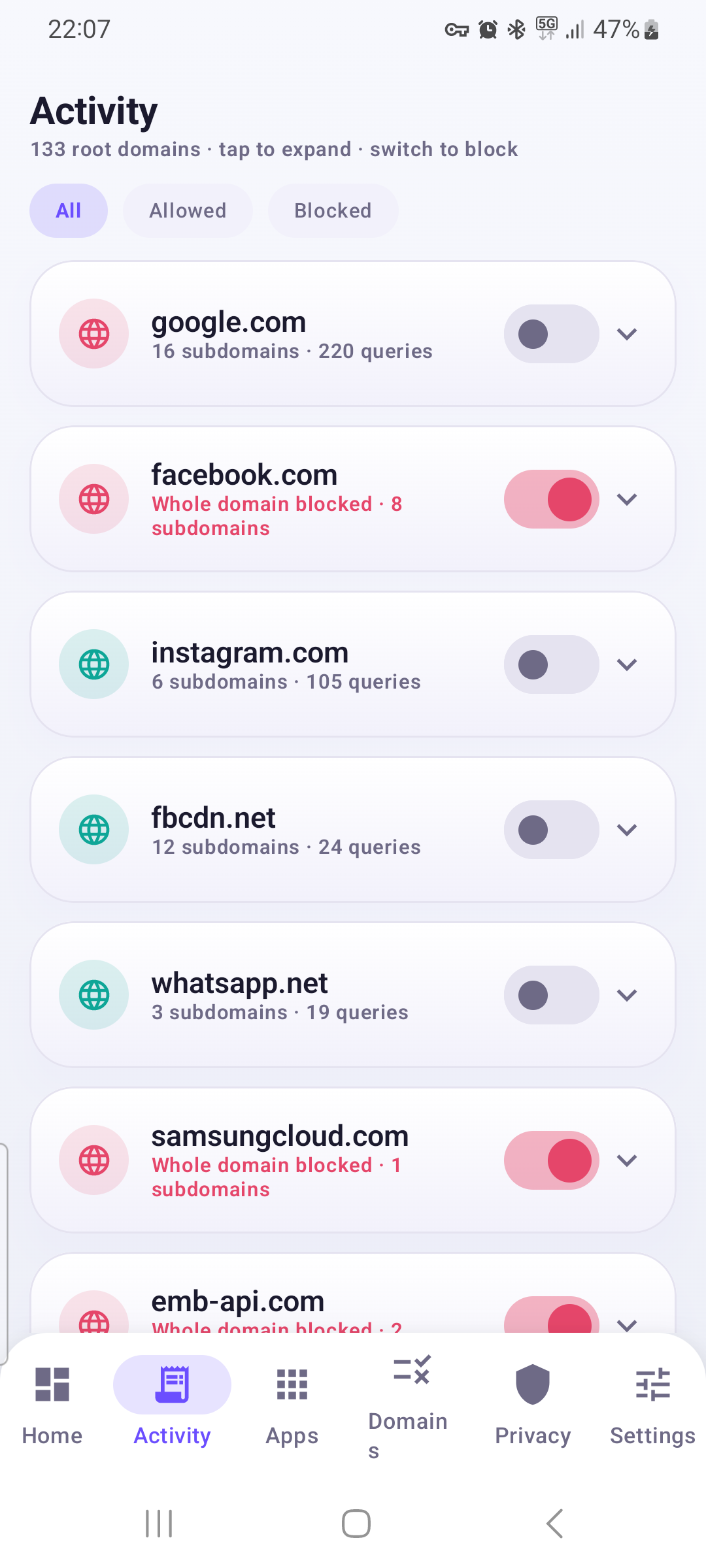
Watch every queried domain in real time, which app requested it, and whether it was blocked or let through — with filters by status.
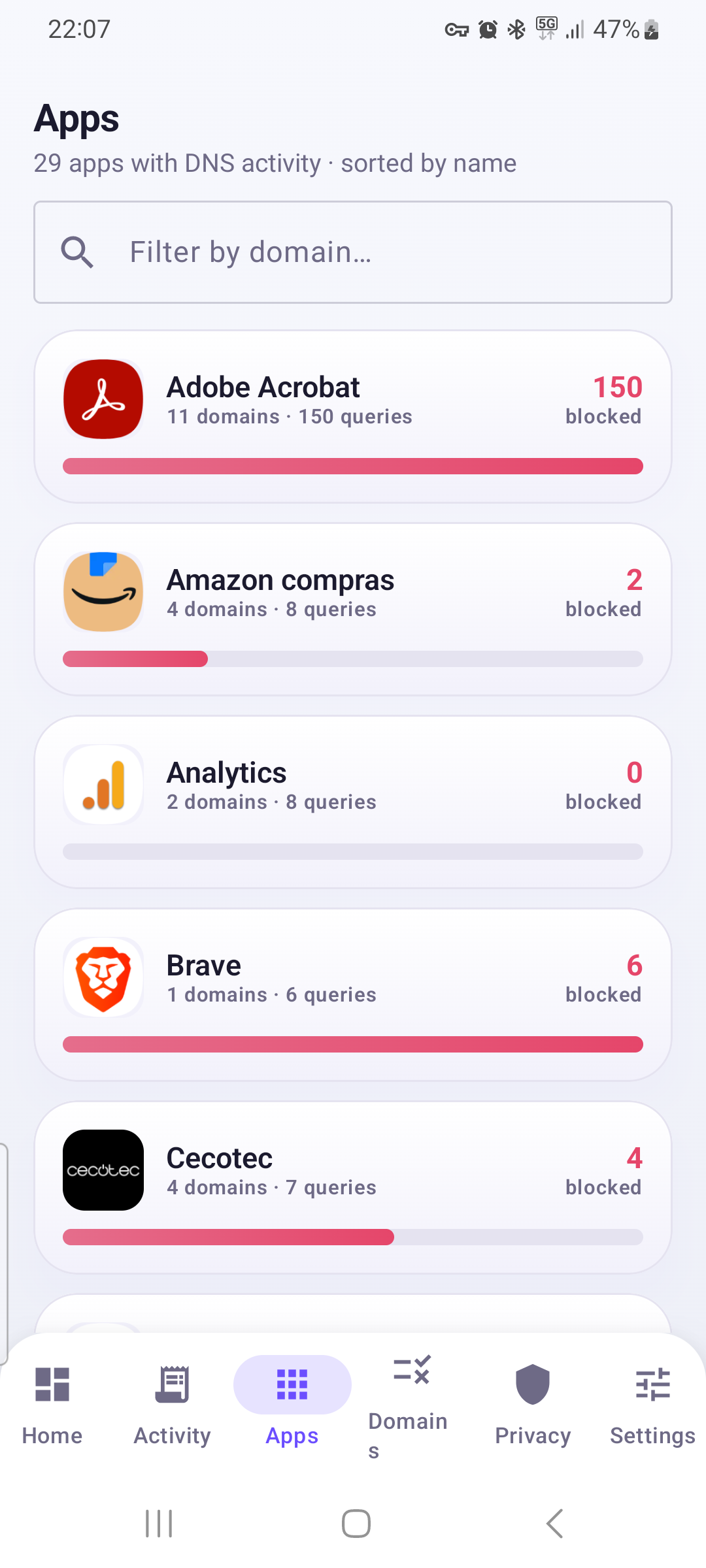
See which app makes each request, with its name and icon, thanks to the system API (Android 10+). You'll know exactly who's tracking you.
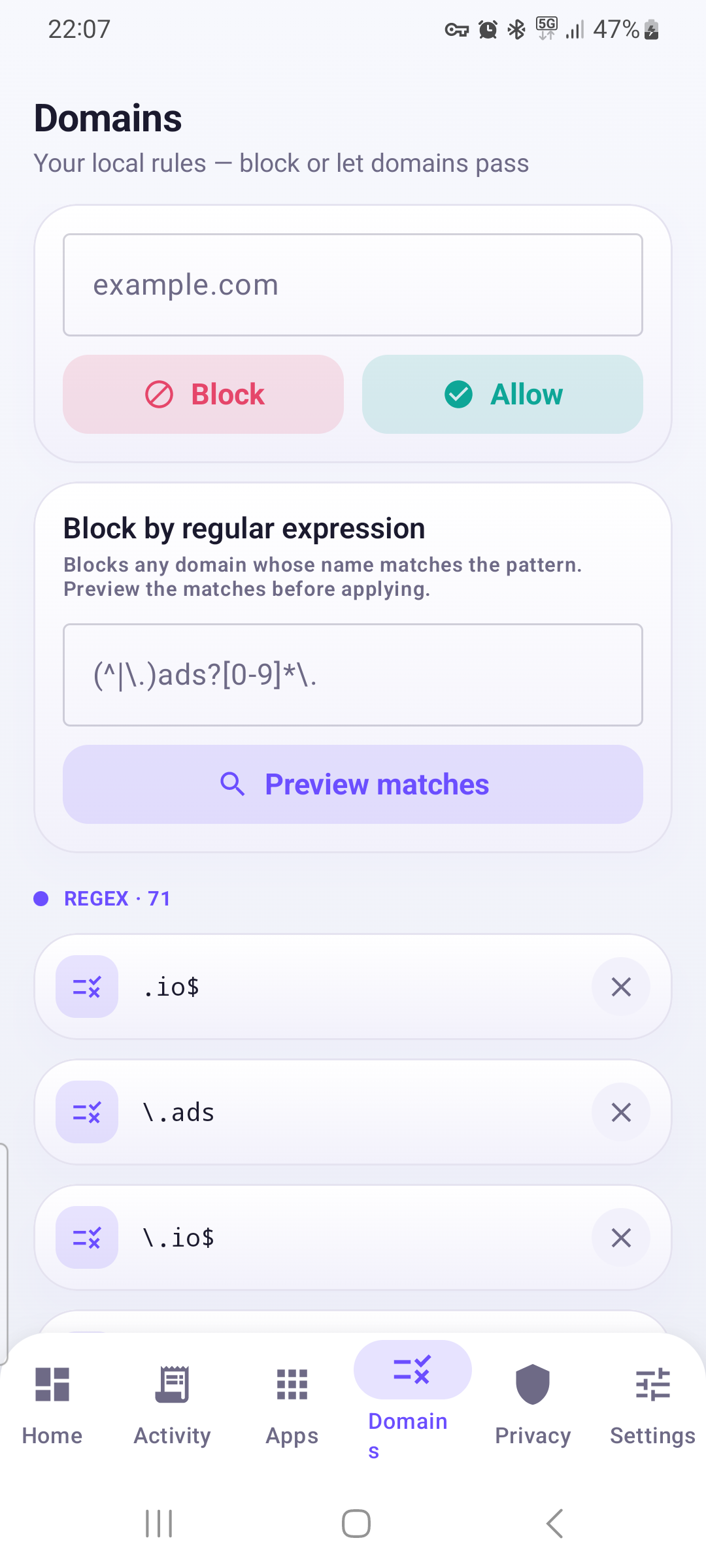
Block any host that matches a regular expression. A live preview shows you exactly which domains will fall before you commit the rule.
Silence consent pop-ups by blocking 78 CMP services (OneTrust, Cookiebot, Quantcast, Didomi) without breaking the websites.
MegaDBlock ships preconfigured against the major ad-mediation and video networks used by apps and games:
Plus analytics, telemetry and ad-profiling trackers — all from the megadblock.com/domains.txt and megadblock.com/regex.txt lists, which you can update with a single tap.
A Jetpack Compose interface that adapts to phones, tablets and foldables.
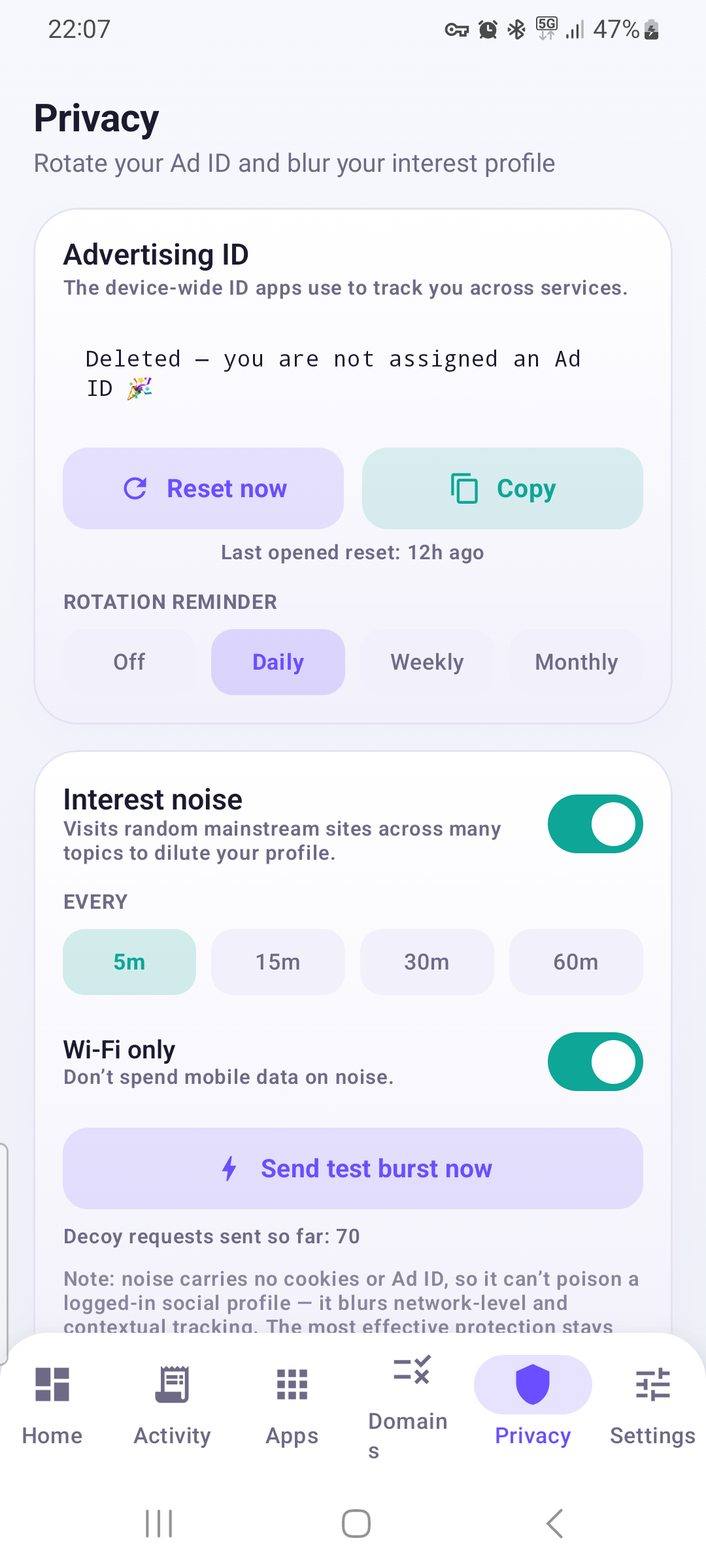
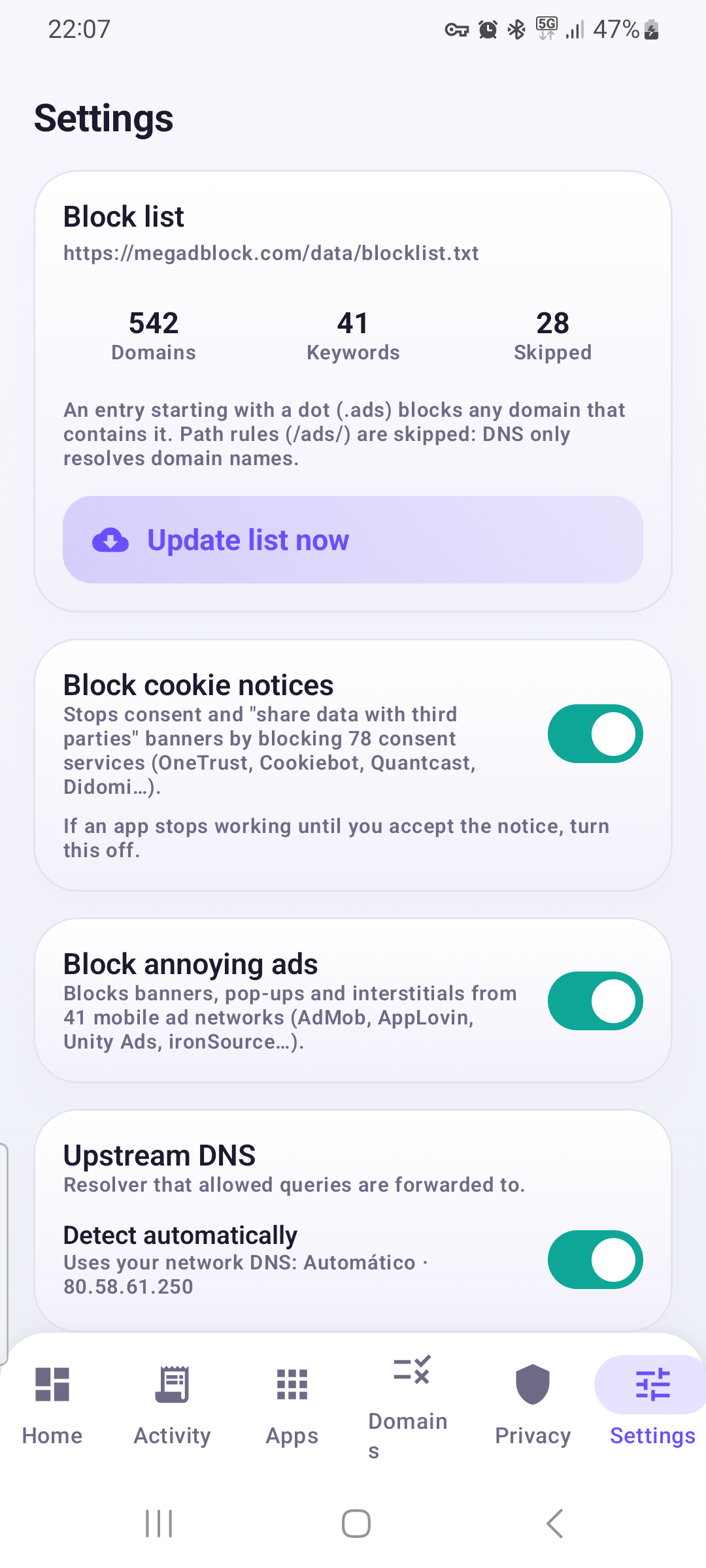
Download and install MegaDBlock. No account, no email, no weird system permissions.
Android will ask permission to create the local VPN: accept it. It stays inside your phone.
From there it filters DNS for all your apps. You can view, tweak and add rules whenever you like.
No. It creates a local VPN on your own device; your traffic never passes through any server of ours, and nothing is logged. The only thing it downloads from the network is the block lists from megadblock.com/domains.txt and megadblock.com/regex.txt — fetched once on first launch, and again only when you tap update.
No. It uses Android's standard VpnService API, with no root and no special system permissions.
In all of them. Because it filters at the DNS level, it blocks ads and trackers in any app on the phone, including games with interstitial and rewarded videos.
Not noticeably. Only DNS traffic is routed to the app; the rest goes out over the normal network untouched. By avoiding ad downloads, you often browse faster and with less data.
Only a text file with the domains and keywords to block. No personal data ever leaves your device at any point.
Yes. In the Domains tab you block or allow specific hosts and create regular-expression rules, with a preview before applying them.
Block ads and tracking across your whole Android without trading away your privacy. Local, free and account-free.
Download MegaDBlock · 11 MBf6a73f0d73d2176688f21c860ddcf514a4caabb6c512f42c76091e4cb5118f7c
MegaDBlock is built and maintained by Galanthus Tech. Write to us about support, privacy, partnerships or anything else — we read every message.
info@galanthustech.comGalanthus Tech · info@galanthustech.com